
Incognito windows forget you
Close the window and you're signed out. Sign in again tomorrow. And the day after.
A calmer Chromium browser
Stay signed in to your work, personal and side accounts on the same sites — at the same time, in one window. No incognito windows. No logging out.
Free for up to 3 separate sign-ins. Your extensions come with you.
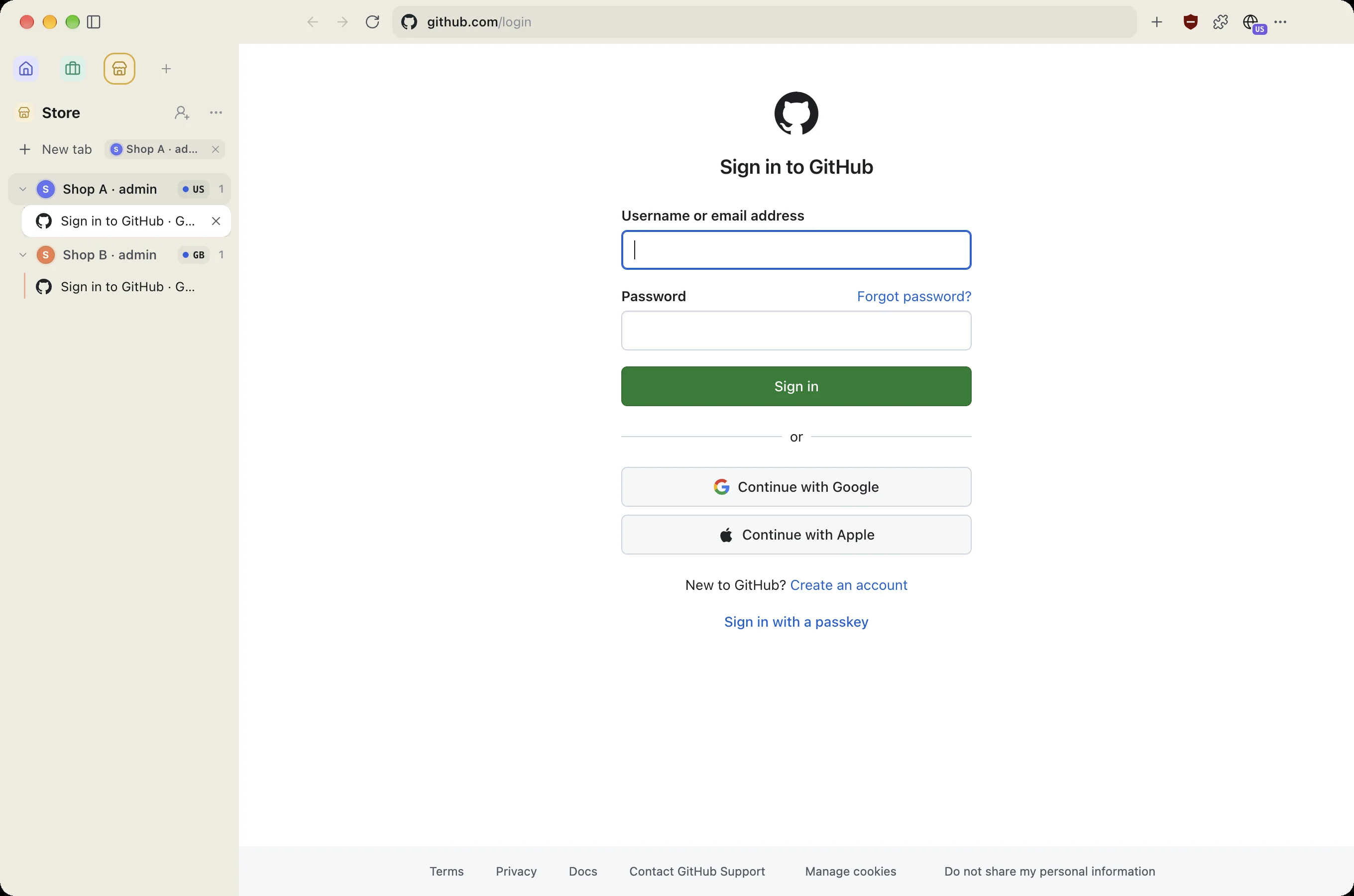
Every you, signed in at once.
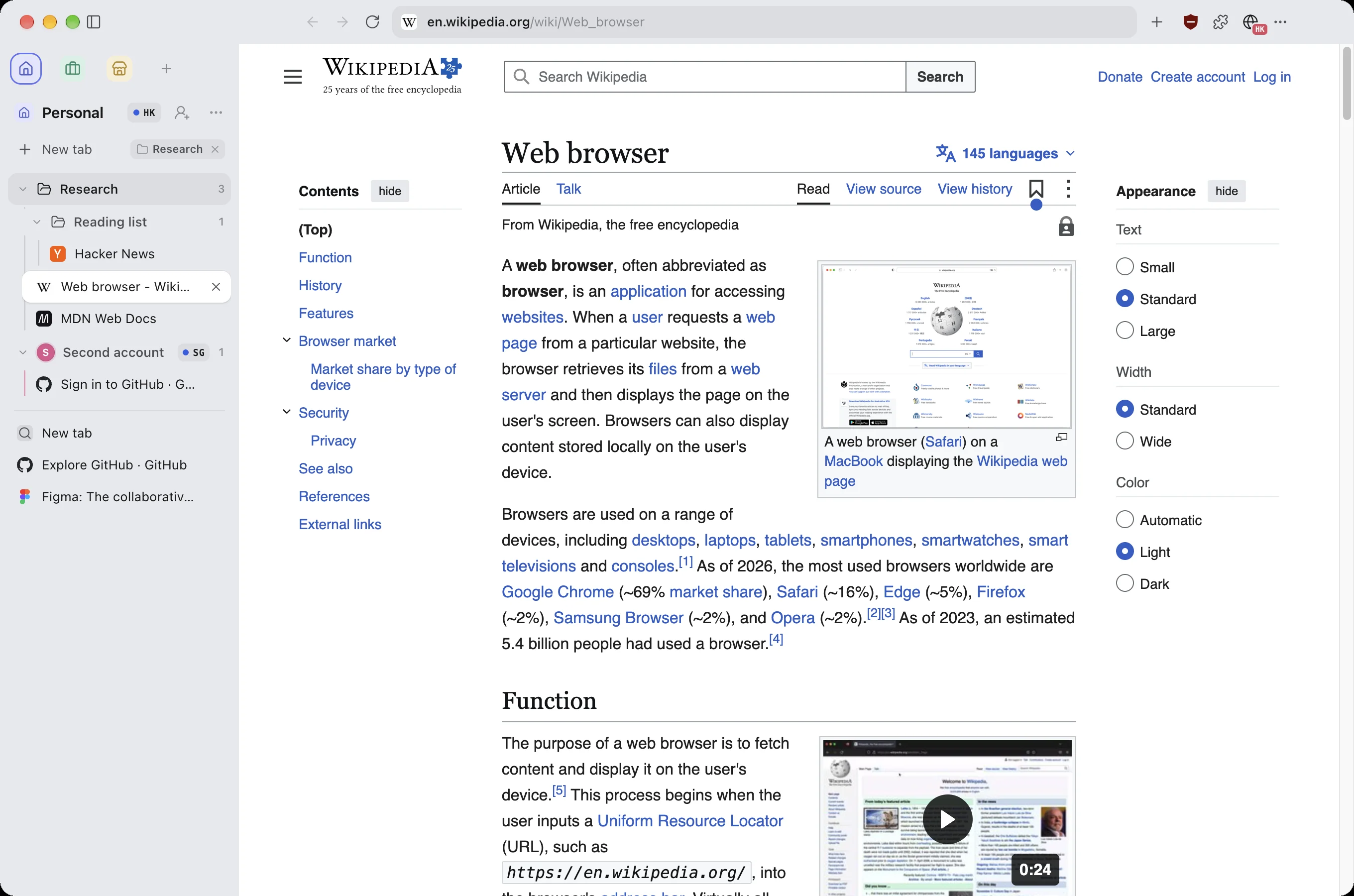
Give work, personal and client accounts their own workspace. The same site stays signed in to each, side by side. Learn more
Sound familiar?
You're not. You have a work account, a personal one, maybe a client's or a second shop. Browsers make you juggle.
Close the window and you're signed out. Sign in again tomorrow. And the day after.
Many sites only allow one account per browser. Every switch costs a login and a lost tab.
Separate profiles mean separate windows, separate Dock icons and no quick way to tell which one you're in.
How Selves works
Group tabs by purpose, then add an account wherever you need another sign-in. Each account gets its own cookies, logins and site data.
Personal, Work, Study — each with its own tabs, pinned sites, colour and icon.
Need a second account on the same site? Add one. It signs in separately and never touches the other.
Both stay signed in, even after a restart. Right-click any link: “Open with another account”.
Each sign-in has its own storage partition — cookies, local storage, cache and service workers — exactly like a separate browser profile, but in the same window.
Workspace colours run through the sidebar, the toolbar and a thin line at the top of every page. Account avatars mark every tab.
Network & Proxy
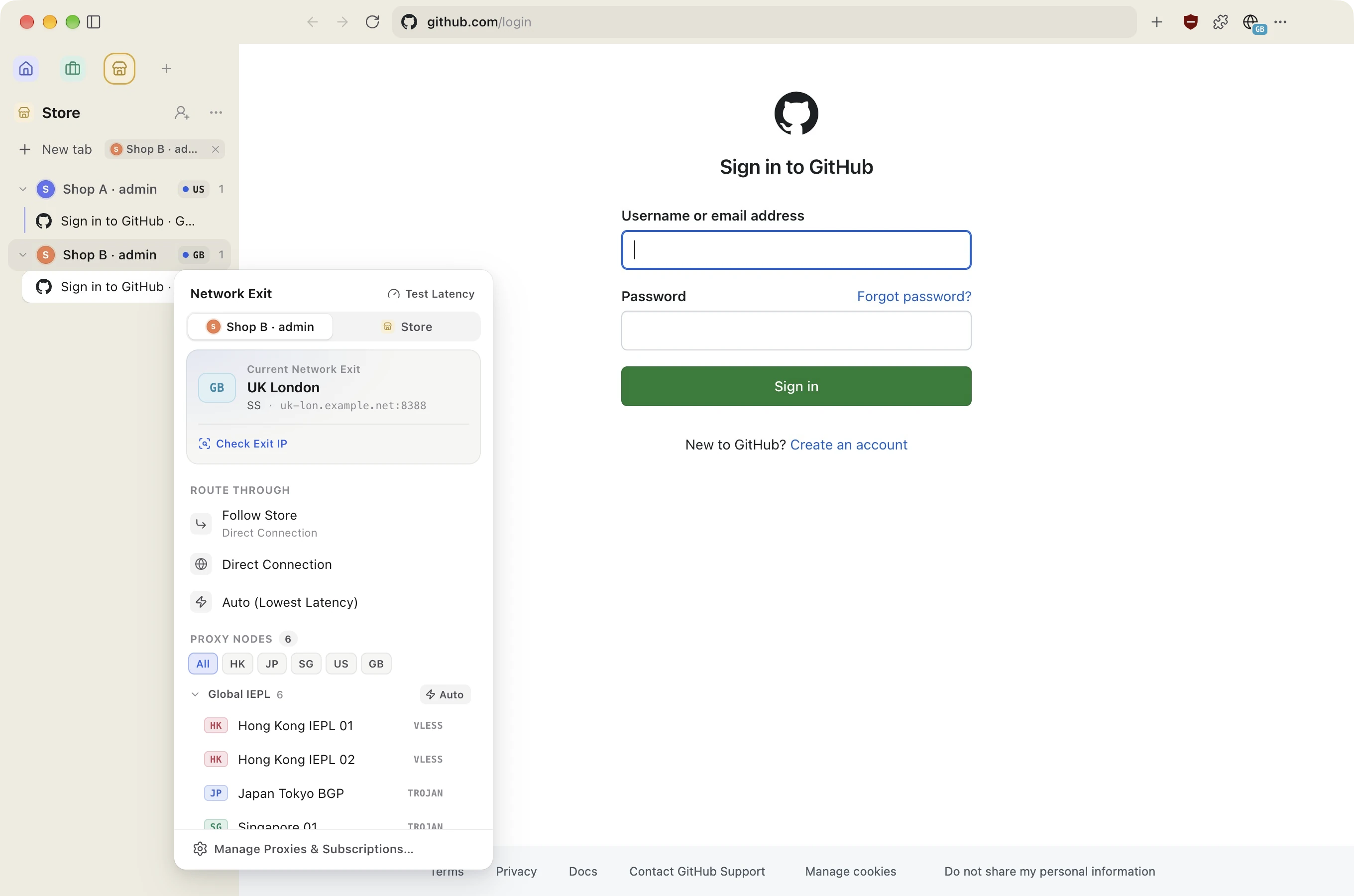
Built-in sing-box core with subscription groups and one-click latency testing. Assign a separate proxy node or direct connection to every workspace and isolated account.
Assign an independent network exit to each workspace and account.
Click an account on the left or switch its exit node on the right
AI & MCP Server
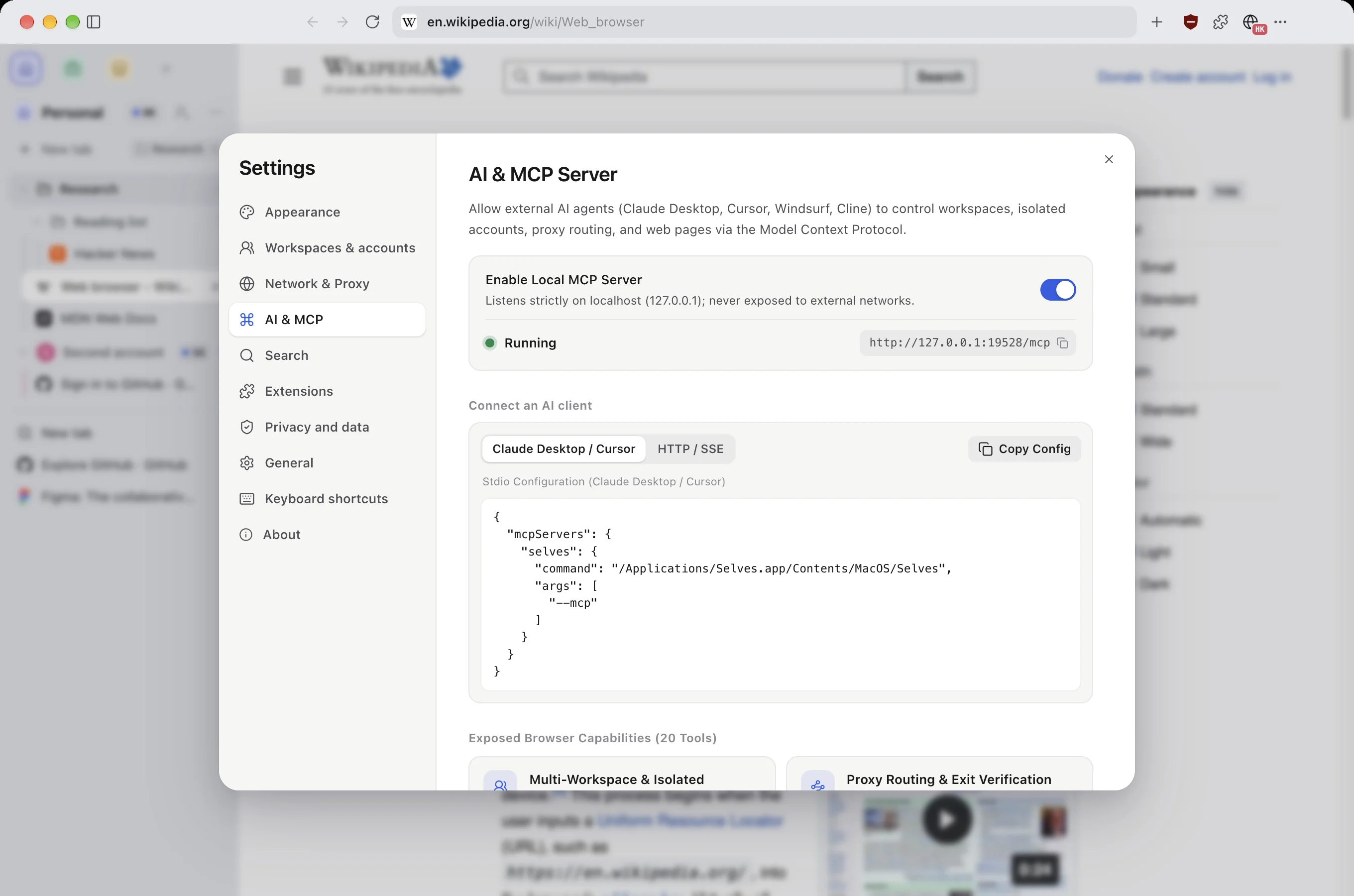
Turn on the local Model Context Protocol (MCP) server in Settings. External AI agents can inspect pages, click, fill forms and switch accounts inside your isolated sessions.
Expose 20 browser tools over local loopback (127.0.0.1) via Stdio, Streamable HTTP or SSE.
{
  "mcpServers": {
    "selves": {
      "command": "Selves",
      "args": ["--mcp"]
    }
  }
}Everything else, done quietly
Tabs, bookmarks, history and commands in one place. ⌃1…9 / Alt+1…9 jumps between workspaces.
Pinned tabs, a fixed top new-tab bar, context-aware account groups and drag-and-drop in a collapsible sidebar that smoothly peeks on hover.
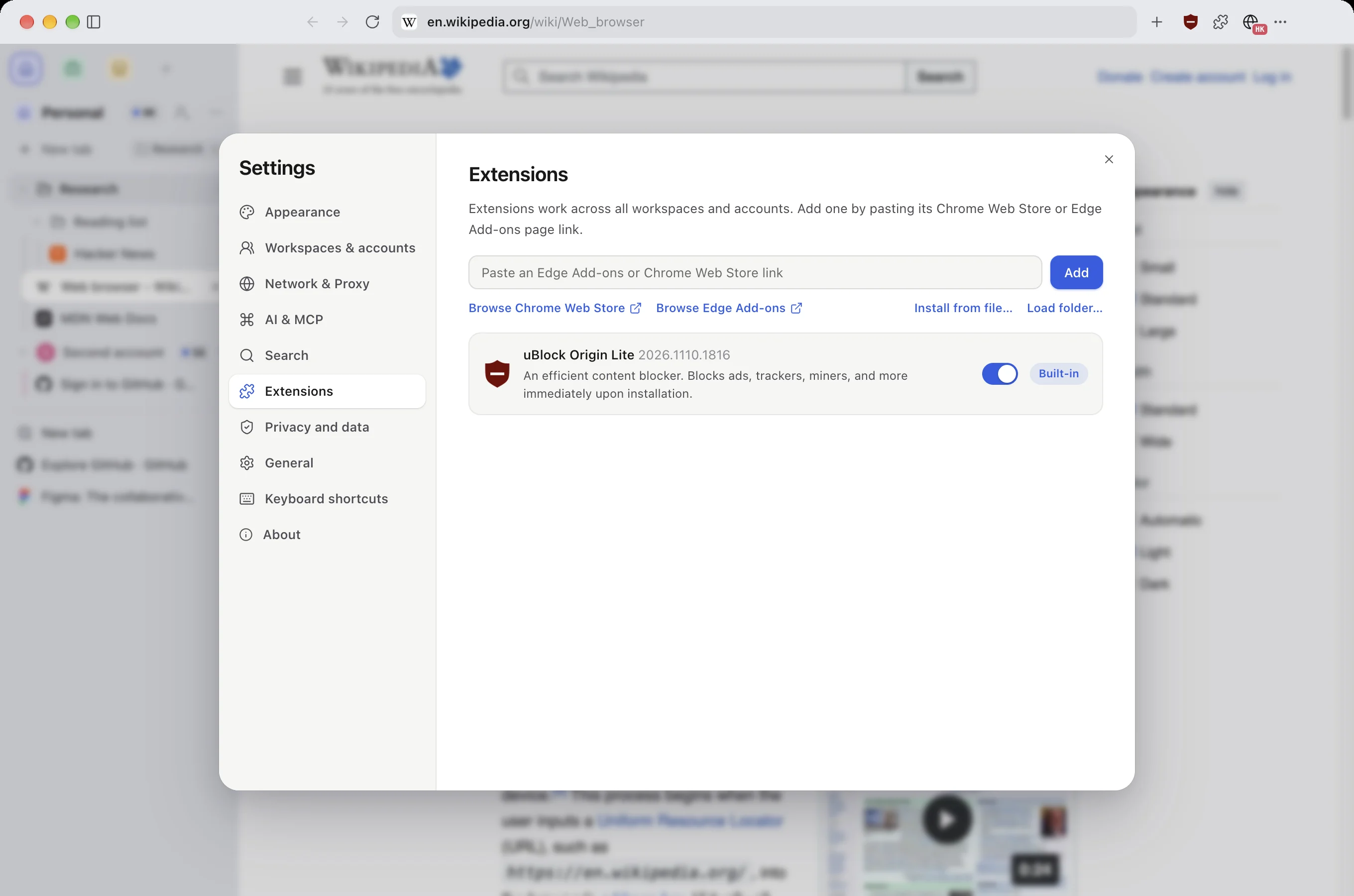
Ships with uBlock Origin Lite pre-installed. Install extensions with one click directly on the Chrome Web Store or Microsoft Edge Add-ons, or paste a store link.
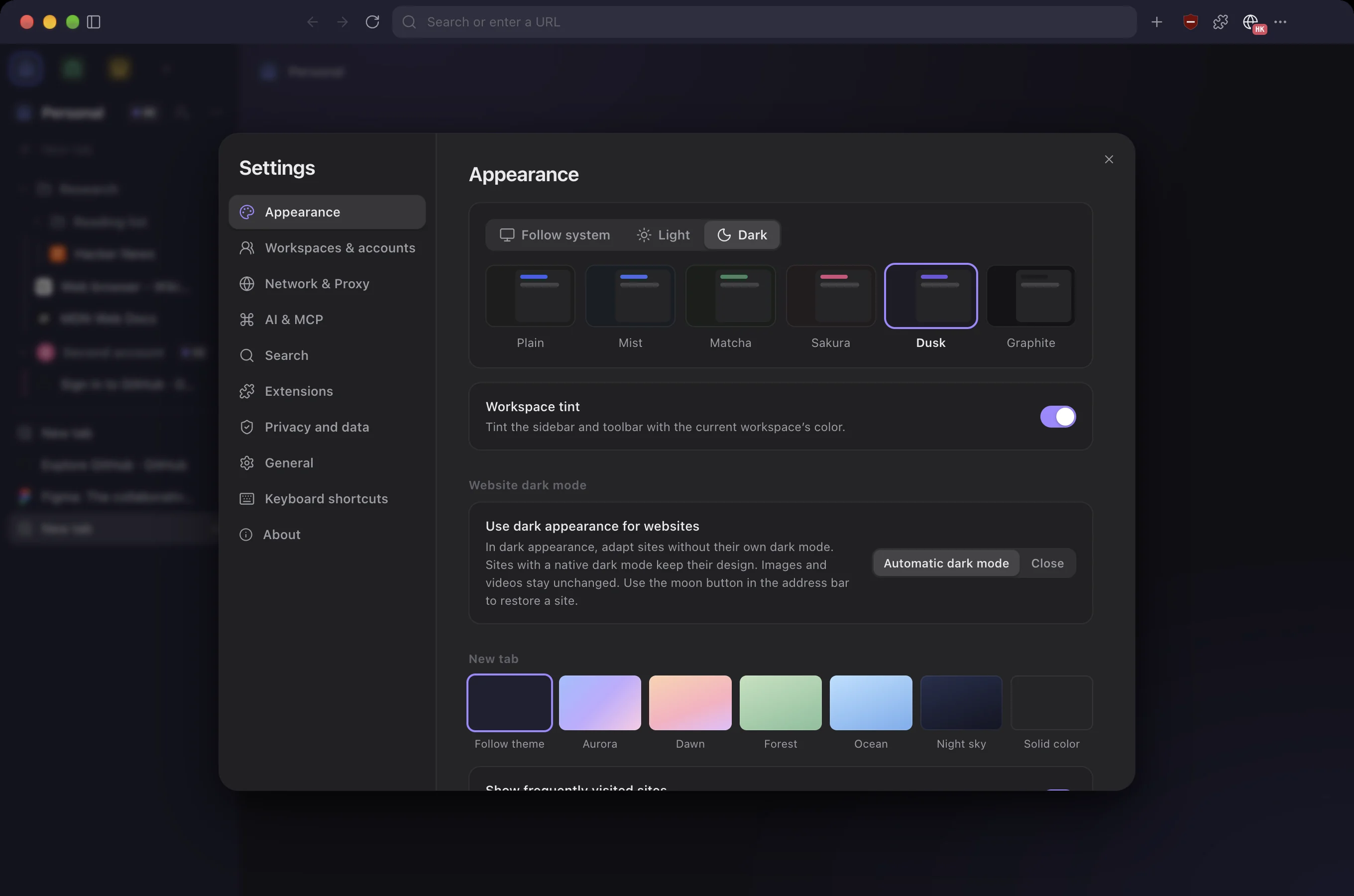
Light, dark or automatic, six themes, seven new-tab wallpapers and an optional workspace tint.
No changed user agent, no injected scripts, no exposed native APIs. Sites see the same Chromium you'd get anywhere.
Customizable keyboard shortcuts, address-bar quick tab close, download fly-in feedback, start page, bookmarks, history, find in page, zoom, printing and reopen closed tabs.
Made for people with more than one login
Keep each client's Google, Slack and analytics accounts in their own place.
Run brand and personal profiles on the same networks without signing out.
Watch several storefronts and marketplace accounts side by side.
Test as an admin and a regular user at the same time, with clean sessions.
Everyone keeps their own shopping, streaming and mail logins on one machine.
Close the Work workspace at 6 pm. Your personal tabs never mix with it.
Compared
Each option below can separate sign-ins. Only some keep them in one window, remember them and run Chrome extensions.
| Feature | Selves | Chrome profiles | Firefox containers | Incognito window |
|---|---|---|---|---|
| Several accounts on one site at the same time | Yes | Yes | Yes | PartlyOnly one extra session |
| All accounts in one window | Yes | NoOne window per profile | Yes | No |
| Stays signed in after a restart | Yes | Yes | Yes | No |
| Runs Chrome Web Store extensions | Yes | Yes | NoFirefox add-ons only | PartlyOff by default |
| Clear colour and avatar for each sign-in | Yes | PartlyProfile theme only | PartlyColoured tab labels | No |
| Accounts organised inside workspaces | Yes | No | No | No |
| Per-workspace & per-account proxy exit routing | Yes | No | No | No |
| Built-in MCP server for AI agents | Yes | No | No | No |
Pricing
Every feature is in the free version. Pro removes the sign-in limit — pay monthly, yearly or once.
Everything you need for a work and a personal life.
US$0
For freelancers, sellers and anyone with many accounts.
Regular price US$6US$4/ month
US$48 billed once a year
Pay once and keep Pro forever. No subscription to manage.
Regular price US$129US$99
one-time payment · Offer ends 16 December 2026
The discount is applied automatically at checkout.
14-day money-back guarantee · Prices in US dollars. Local taxes are calculated at checkout. Cancel any time.
Payments are handled by Creem, our merchant of record, so tax, invoices and receipts are taken care of.
Questions
Yes. That's what Selves is for. Add an account in any workspace and it gets its own cookies and site data, so you can use, for example, two Gmail accounts or two shop dashboards side by side in the same window. Both stay signed in after you restart.
Yes. The free version has every feature and up to 3 separate sign-ins. Selves Pro removes that limit for US$6 a month, US$48 a year, or a one-time US$99 for lifetime use.
A workspace organises tabs by purpose, such as Personal or Work, and has its own default sign-in. An account is a group of tabs inside a workspace with a separate sign-in, for when you need a second login on the same site.
Yes. Selves is built on Chromium and ships with uBlock Origin Lite built in. You can click “Add to Chrome” directly on the Chrome Web Store or Microsoft Edge Add-ons, or paste a store link, and extensions work across every workspace.
No. Selves doesn't change your user agent, fake fingerprints or inject scripts into pages. It separates cookies and site data so you can keep your own accounts apart. Please follow each website's terms.
macOS (Apple Silicon and Intel), Windows 10 and 11, and Linux (Debian and Ubuntu packages).
Yes. Install your password manager's extension once and it's available in every workspace. Each workspace and account keeps its own sign-ins, so logins never leak between them.
After checkout you receive a licence key by email. Paste it into the Selves settings to activate Pro on up to 3 of your computers. You can cancel or get a refund within 14 days.
On your computer. Each workspace and account keeps its data in its own folder on your device. The website never sees your browsing.
Yes. Selves includes a built-in sing-box proxy engine that supports Shadowsocks, VMess, VLESS, Trojan, Hysteria2, TUIC, SOCKS5, HTTP and subscription links with one-click latency testing. You can assign a separate proxy exit node (or direct connection) to each workspace and each isolated account.
Yes. Selves has a built-in Model Context Protocol (MCP) server supporting Streamable HTTP, SSE and --mcp stdio with 20 browser tools. AI agents can read semantic accessibility snapshots, click and fill elements by reference ID, capture screenshots, switch accounts and change proxy routes directly inside your logged-in sessions.
Free download. Set up your first workspace in under a minute.
Free · macOS, Windows and Linux